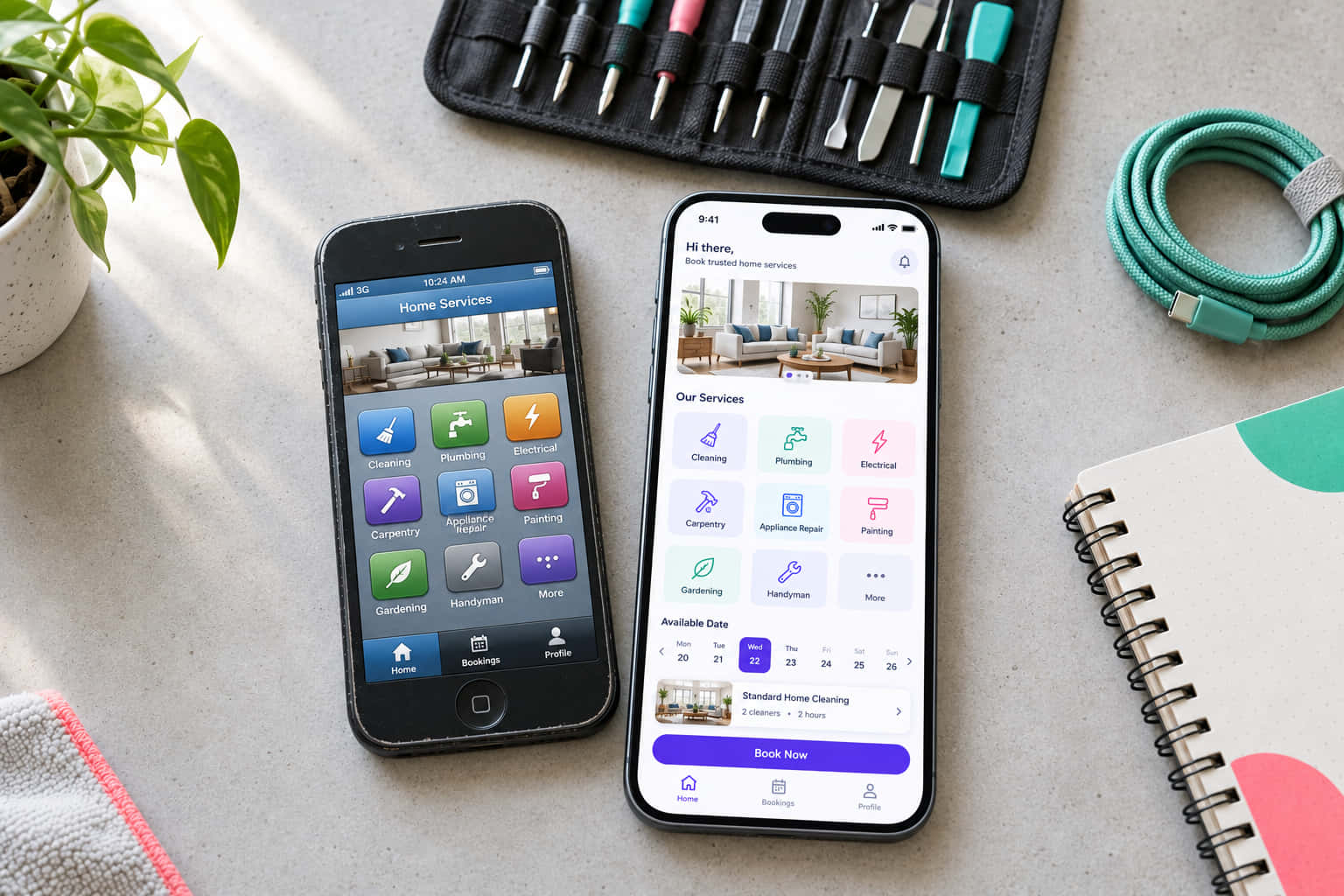
Your app still works. Customers log in, and orders come through. But every change takes longer than it should, and the quotes keep growing. That's usually when an app has become legacy.
A legacy app still runs, but each change costs more and carries more risk. Most owners in that spot face one question. Do you keep maintaining it, refactor it or rebuild it?
I'm Praharsh Parikh, founder and CEO of Appmart. We've spent more than a decade building and maintaining mobile apps for Australian businesses. This guide gives you a simple framework for legacy app modernisation. It covers mobile apps only, since mainframes are a different problem. You'll see which path fits your app and what to check first.
What is a legacy mobile app?
Age alone doesn't make an app legacy. A five-year-old app with quarterly updates can be in good shape. A two-year-old app on a discontinued framework may already be in trouble.
In practice, an app is legacy when it's stuck. Check yours against this list:
- It runs on a framework nobody supports anymore, such as Xamarin.
- Most of the code is Objective-C or Java, and your current developers work in Swift or Kotlin.
- The original developer or agency is gone.
- It can't meet the latest App Store or Google Play rules without major work.
- Key packages or SDKs no longer get updates.
- Nobody has documented how to build and release it.
If two or more apply, routine upkeep won't fix it. The rest of this guide helps you decide what to do next.
Why mobile apps can't wait to modernise
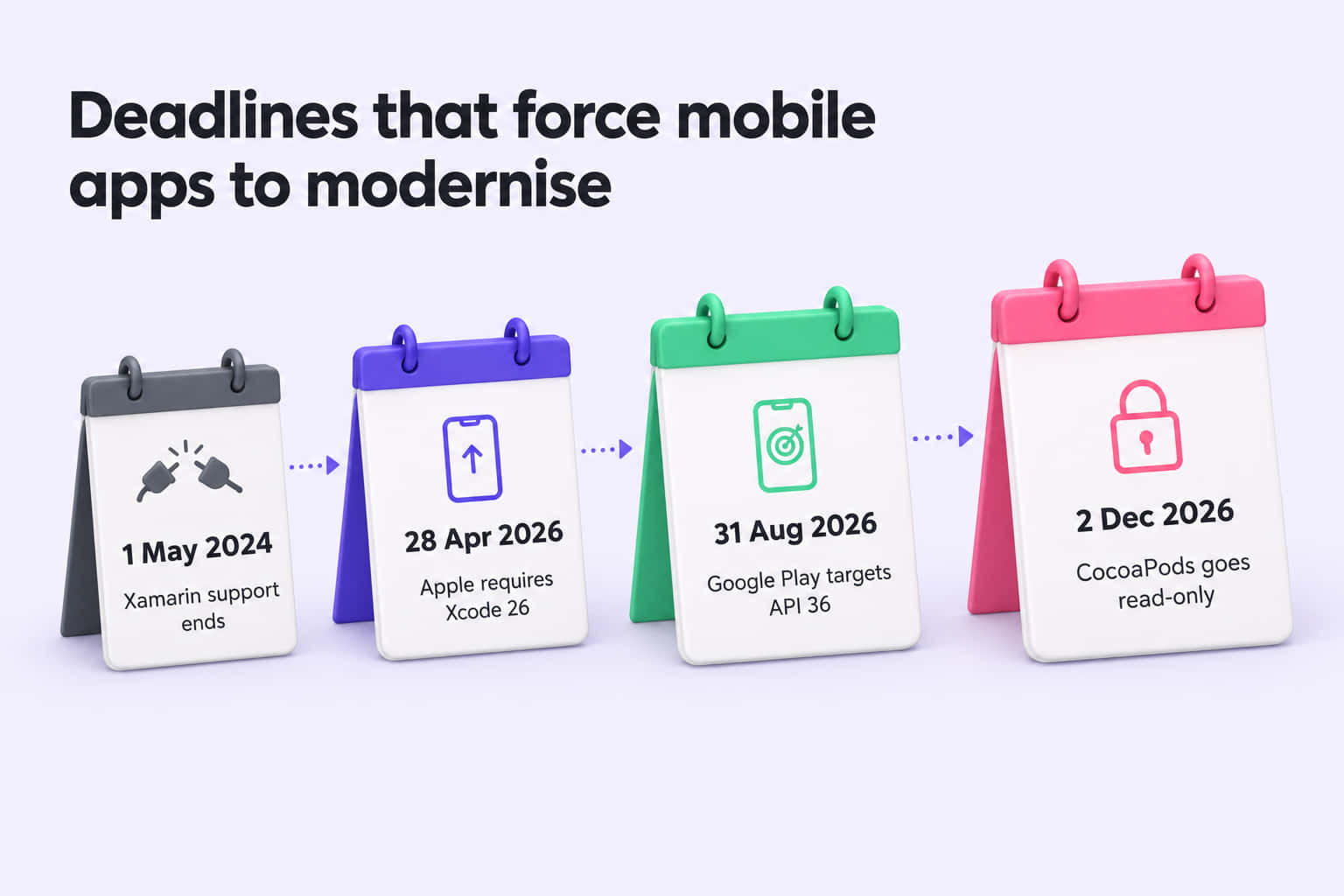
Most guides to legacy system modernisation cover mainframes, data centres and cloud migration. Mobile apps face different pressures, and those pressures follow a fixed yearly timetable. Apple and Google change their rules every year. An app that falls behind can lose the ability to ship updates. So mobile modernisation can't wait as long as it can for office software.
These are the triggers I see most often:
- Apple's yearly SDK minimum. Since 28 April 2026, Apple only accepts uploads built with Xcode 26 and the iOS 26 SDK. Older projects often need dependency upgrades before they'll build at all.
- Google Play's target API rule. From 31 August 2026, new apps and updates must target Android 16 (API level 36). Existing apps that target Android 14 or lower stop appearing for new users on newer phones.
- Discontinued frameworks. Microsoft ended Xamarin support on 1 May 2024. Its final versions target Android API 34 and Xcode 15. A Xamarin app can't meet either store's current update rules without moving to a new framework. Many older Cordova and Ionic apps hit similar problems with outdated plugins.
- CocoaPods going read-only. CocoaPods, a long-standing dependency manager for iOS, becomes read-only on 2 December 2026. Existing builds keep working, but packages listed there stop getting updates.
- Security and privacy rules. Apple requires apps with sign-up to let users delete their account inside the app. Australian apps also need to meet the Privacy Act 1988 and the Australian Privacy Principles. Many older apps predate both.
Your modernisation options compared
Legacy software modernisation has five main paths. They run from light upkeep to replacing the app. The right one depends on how sound the foundations are. The app's age matters less.
Timelines depend on the size of the app. Treat them as a rough guide.
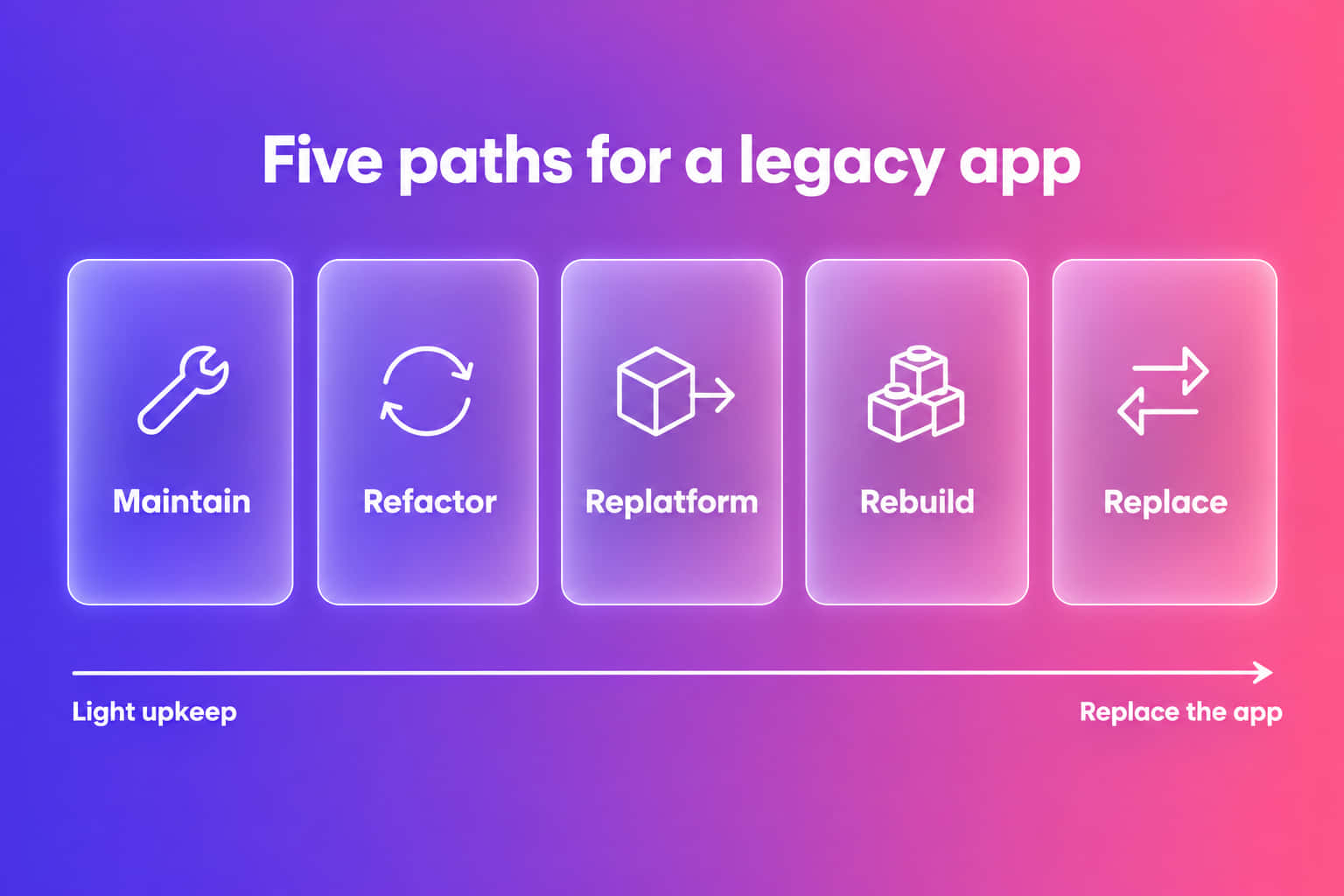
When to keep maintaining
Maintenance is still the cheapest path when the foundations are sound. You're probably there if:
- The framework and main packages still get support.
- Small changes ship in days, not weeks.
- Crash rates and store reviews hold steady.
- Your developers understand the code, and it's documented.
If that sounds like your app, a regular maintenance plan usually costs less than any other option. The aim is to stop new tech debt building while the app keeps earning.
When to refactor
Refactoring fits when the app works but the code fights every change. Features take too long. Old bugs return. Developers avoid certain screens. You don't have to start again. You fix the worst areas one at a time while normal releases continue.
The strangler fig pattern is a common way to do this. New code gradually takes over from old code until you can remove the old parts. Refactoring also helps before a bigger move, since cleaner code migrates more easily.
When to replatform or rebuild
A bigger move makes sense when the foundation is the problem. These are the usual reasons:
- Discontinued technology. A Xamarin app, or one stuck on unmaintained plugins, has no long-term upgrade path.
- Two native codebases. Separate iOS and Android apps double the cost of every change. Moving to Flutter or React Native can bring them into one codebase.
- A major product or design change. If you would change most screens anyway, a rebuild can cost less than reworking old code.
Replatforming keeps your features and moves them to new technology. A rebuild goes further and rethinks the product too. Either way, run it like a new build. Budget for a full regression test cycle, a data migration plan and time for users to adjust.
Choosing between the two main cross-platform options? Read our comparison of Flutter vs React Native. It covers how each holds up over time.
How to choose a modernisation strategy
The right strategy depends on your business as much as your code. Answer these six questions before any technical review.
- What does the business need from the app over the next three years? Growth plans, new features and new markets all change the answer.
- Who uses the app, and how many of them? A large, active user base needs a lower-risk path than an internal tool.
- What's your budget, and how do you want to spend it? Some businesses prefer steady monthly costs. Others can fund one larger project.
- When do you need results? A store deadline next quarter calls for a different plan than a two-year roadmap.
- How healthy is the codebase? That's tech debt territory, which our guide to what technical debt is covers.
- Who will look after the app? A plan only works if a team with the right skills can deliver it.
Your answers usually point to one of these approaches:
| If this describes your app | The usual path |
|---|---|
| Supported framework, healthy code and steady releases | Maintain |
| Supported framework, but changes are slow and risky | Refactor |
| Discontinued framework, or two native apps to merge | Replatform |
| A major product, design or architecture change is needed | Rebuild |
| A standard product already does the same job well | Replace |
Most apps don't fit neatly into one row. It's common to refactor the most fragile parts first, then replatform once the code is easier to move.
A step-by-step modernisation process
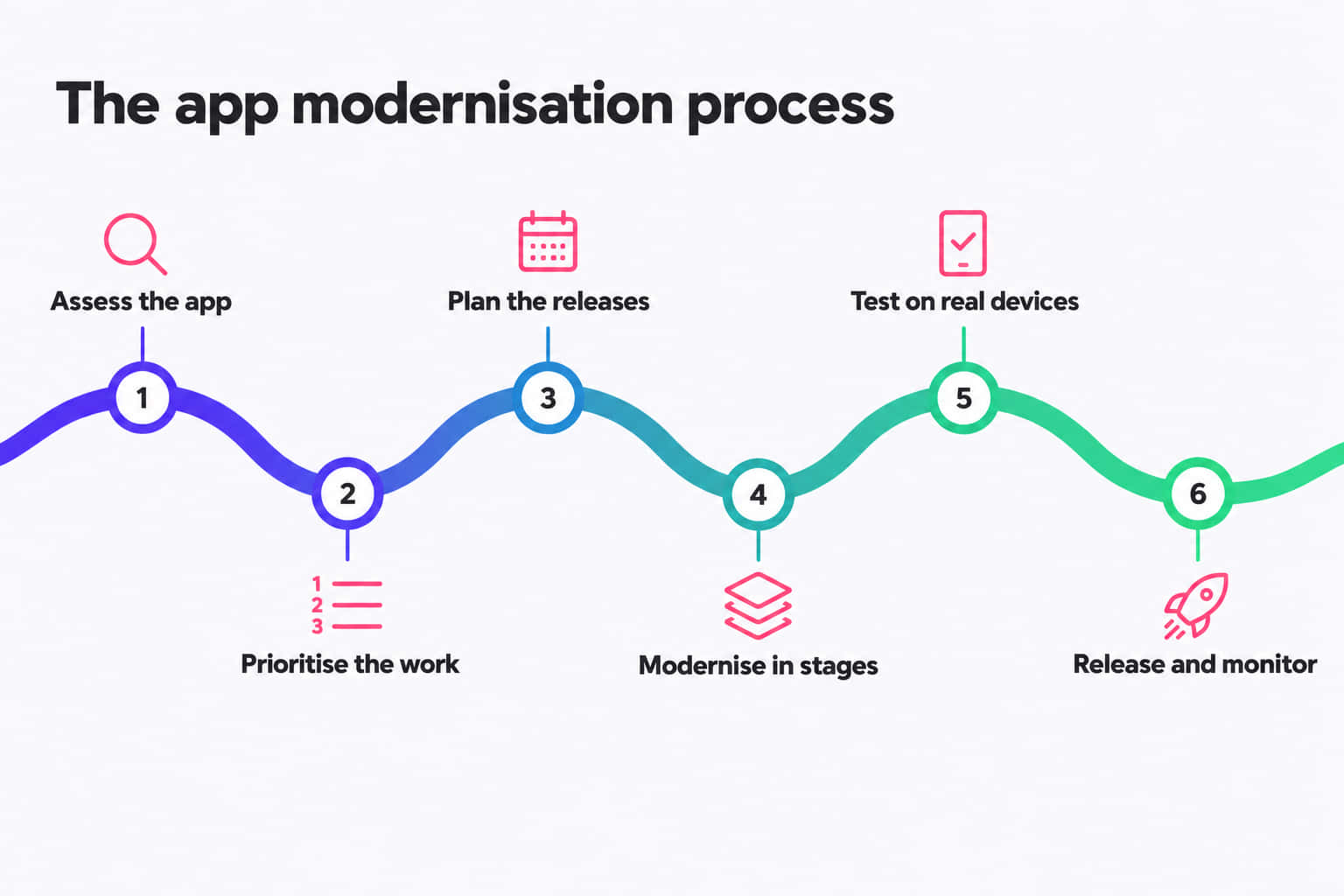
Whichever path you choose, the process follows the same six steps.
- Assess the app. Review the code, packages, build setup and store compliance. Confirm who holds the App Store, Google Play and server accounts.
- Prioritise the work. Rank each issue by risk to revenue, security and store access. Fix whatever blocks releases first.
- Plan the releases. Break the work into small releases that each ship on their own. Don't save everything for one big launch.
- Modernise in stages. Work through the plan while the current app stays live. Users see steady improvement instead of a long wait.
- Test on real devices. Run regression tests on a range of real iPhones and Android phones, not just simulators. Older devices often show problems first.
- Release and monitor. Use staged rollouts. Then watch crash rates, reviews and key user flows. What you see shapes the next release.
The first step matters more than most owners expect. A stone supplier asked us for an operations app. My team started by mapping their whole workflow, from lead intake to final payment. Then we built the app to follow that chain. Leads, quotes, jobs, inventory and payments now sit in one platform. Their quote-to-job conversion is 45% faster.
If you'd like to see how Appmart takes on an existing app, read our app takeover process.
Common risks and how to avoid them
Most modernisation projects that go wrong fail for the same few reasons. Watch for these:
- Big-bang rewrites. Replacing everything in one launch puts all the risk on a single go-live. Release in stages so problems show up while they're small.
- Losing store reviews and ratings. A new store listing resets your ratings to zero. Ship the modernised app as an update to your existing listing, with the same bundle ID and package name.
- Data migration problems. User accounts, history and settings must move across intact. Test the migration on a copy of real data and keep a rollback plan ready.
- Feature parity creep. Teams often copy every old feature, including ones nobody uses. Check your analytics first and drop what users have abandoned.
- Missing hidden behaviour. Long-running apps handle edge cases nobody documented, like old account types or unusual payment flows. Talk to your support staff and read old bug reports before you rebuild.
- Losing account access. Some owners find a former developer holds their store accounts, domains or servers. Confirm you own every account before work starts.
What does modernisation cost?
Cost depends on the path, the size of the app and the state of its code. The number of integrations, such as payments, maps and booking systems, also moves the price. So does how far behind the app has fallen. For ongoing costs, see our guide to app maintenance costs.
Frequently asked questions
Refactoring usually costs less, because you keep what works and fix the rest in stages. A rebuild costs more upfront. It can work out cheaper over time if the foundation is broken, as it often is on a discontinued framework. A code assessment shows which situation you're in.
It depends on the path and the size of the app. Maintenance has no end date. Refactoring usually runs in stages over a few months. Replatforming or rebuilding a mid-sized app often takes several months. With staged releases, users see improvements well before the work finishes.
Yes, in most cases. The current app stays live while you build and test the new version. Changes reach users as normal store updates, ideally through staged rollouts. Downtime risk comes mainly from server or data migrations. You can rehearse those and schedule the cutover for a quiet period.
Only if it solves a real problem. A move makes sense when you run separate iOS and Android apps and want one codebase. It makes less sense if your native apps are healthy or lean on platform-specific features. Compare the cost of moving with two more years of running both apps.
Get a plan for your ageing app
Most ageing apps need a plan before they need a rebuild. Appmart reviews your code, packages and store compliance, then recommends the path that fits your budget. Start with a free app health check and get a clear next step.
Get your free app health checkHappy with your current app and just want to keep it healthy? Read about our app support and maintenance service.