Flutter vs React Native is usually considered a build question. Which one gets your app to launch faster, and for less? After more than a decade building apps at Appmart, I think that's the wrong place to start. You'll spend a few months building your app and five years or more maintaining it. That's why this guide compares what each framework costs to keep current.
So here's my short answer. For most Australian businesses, Flutter takes less upgrade effort from one year to the next. React Native is easier to staff and hand over, as long as someone upgrades it regularly.
I'm Praharsh Parikh, founder and CEO of Appmart. My team maintains both Flutter and React Native apps and this comparison comes from that day-to-day work.
Flutter vs React Native at a Glance
Here's how React Native vs Flutter compares on the points that affect long-term upkeep.
| Flutter | React Native | |
|---|---|---|
| Owner | Meta | |
| Language | Dart | JavaScript or TypeScript |
| How it draws screens | Its own rendering engine (Impeller) | The platform's native UI components |
| First release | 2018 (version 1.0) | 2015 (open-sourced) |
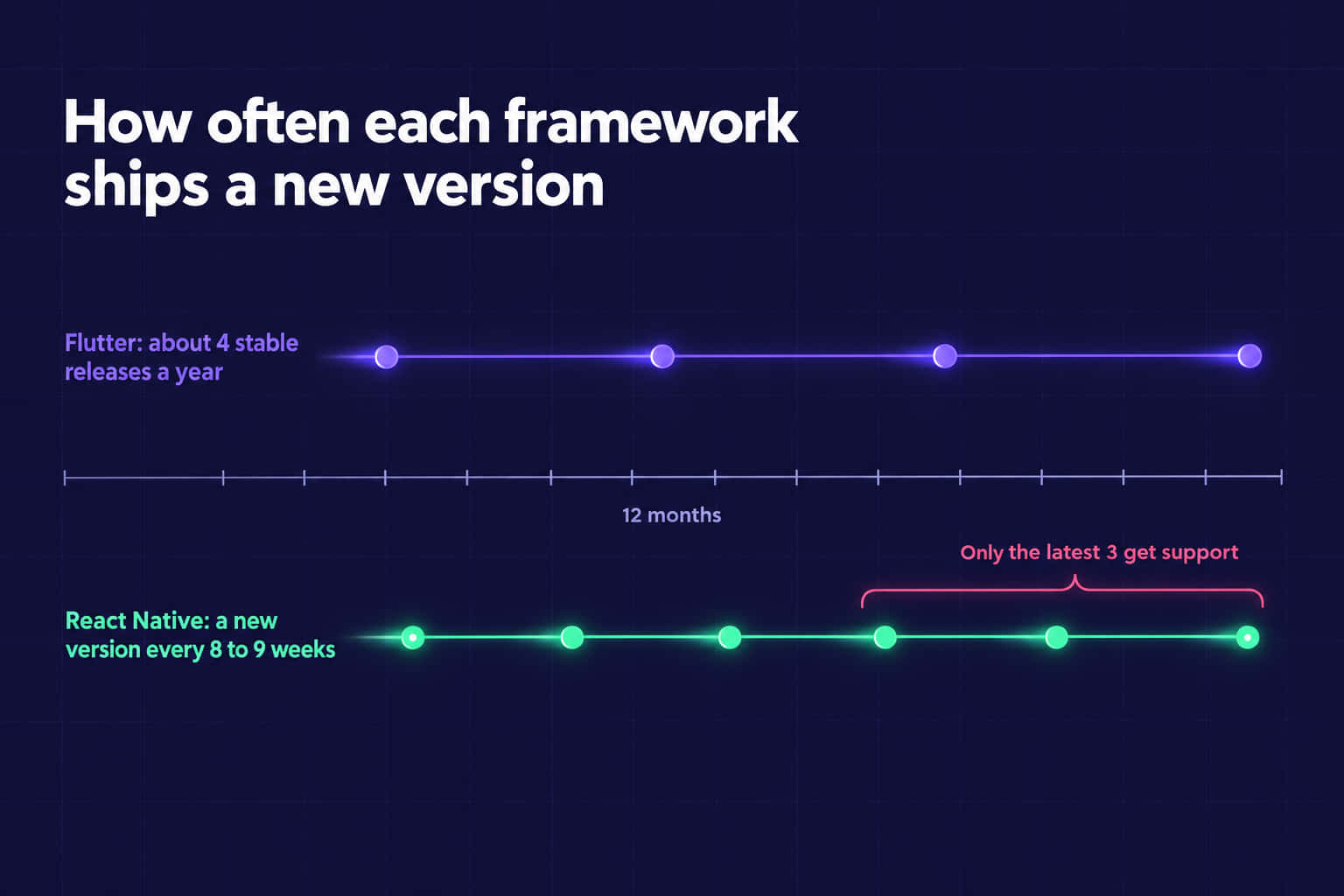
| Upgrade cadence | About four stable releases a year | A new version every eight to nine weeks |
| Talent pool | Smaller, with more consistent coding styles | Large, since most developers know JavaScript |
| Typical maintenance effort | Lower and more predictable | Moderate, and much higher if upgrades are skipped |
React Native's schedule comes from its official releases page, which also shows that only the latest three versions get support.
Which Is Better, Flutter or React Native?
If your team is going to be responsible for this app for years and you don't want an endless series of surprise upgrades, then Flutter is the way to go. If your developers are already JavaScript or React developers or you are sharing code with a website, select React Native. Either is a good option, if someone maintains it.
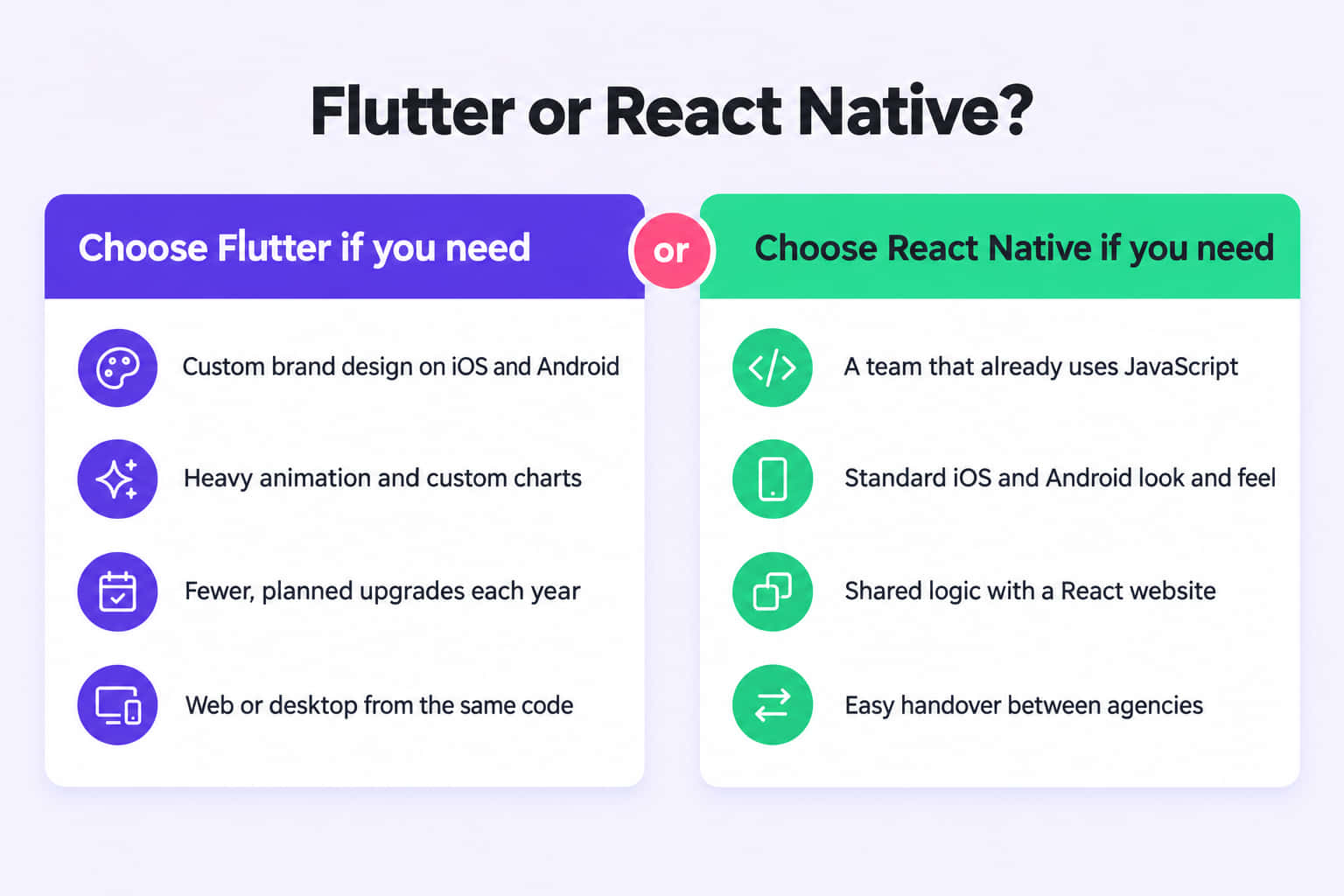
Flutter is best for:
- Apps with a custom brand design that must look the same on iOS and Android
- Apps with heavy animation, charts or custom drawing
- Businesses that prefer fewer, planned upgrades each year
- Products that may also need web or desktop versions from the same code
React Native is best for:
- Teams that already use JavaScript, TypeScript or React
- Apps that should look and behave like standard iOS and Android apps
- Products that share logic with an existing React website
- Businesses that expect to change developers or agencies over time
Flutter vs React Native Performance
For most business apps, users won't notice a speed difference between the two. Both frameworks have rebuilt their core in the last few years and both now produce smooth apps.
Flutter draws every pixel itself, using its own engine called Impeller. Impeller is now the default on iOS and on Android 10 and later. Because Flutter controls the drawing, animations behave the same way on both platforms.
React Native shows real native components instead. Its New Architecture replaced the old "bridge" with direct links between JavaScript and native code. Those links run through JSI and a newer renderer called Fabric. Since version 0.82, released in October 2025, the New Architecture is the only option.
There are three places where users can notice a difference:
- Complex animations. Flutter tends to hold a steady frame rate more easily, because it doesn't depend on native components.
- Startup time. Large JavaScript bundles can slow React Native's first launch. Flutter adds its engine to the download size instead.
- Long lists and feeds. Both handle them well when built properly, and both stutter when they aren't.
I'd treat online benchmark tables with caution. Most of them test a demo app, and your own code will matter far more than the framework.
Which Is Easier to Maintain Over Time?
This is where the two frameworks really differ. In my experience, a framework's yearly upkeep matters more than any speed test. When upkeep keeps slipping, it turns into technical debt, which I explain in our guide to what technical debt is.
Upgrades and Breaking Changes
React Native releases a new version every eight to nine weeks, and only the latest three get support. An app can fall out of support in about six months. A React Native upgrade can also mean changes to the native iOS and Android project files.
The biggest recent change was the move to the New Architecture. React Native 0.81 was the last version to support the old architecture. Apps still on it must migrate to the New Architecture before they can upgrade further. Some older libraries need replacing along the way.
Flutter ships about four stable releases a year. Most upgrades need only small code changes. The big break came with Dart 3 in 2023, when sound null safety became mandatory. Older Flutter apps that skipped that change can't run on current Flutter until they make it.
Both frameworks punish skipped upgrades. Moving forward one version at a time is routine work. Jumping three years in one go can turn into a partial rebuild.
Third-party packages and plugins
Packages cause most of the maintenance pain in both frameworks. Apps lean on them for payments, maps, cameras and notifications. When a package's maintainer stops updating it, your next framework upgrade gets stuck.
React Native felt this during the New Architecture move, because many older libraries were never updated for it. Flutter carries the same risk, although Google maintains many of its core plugins.
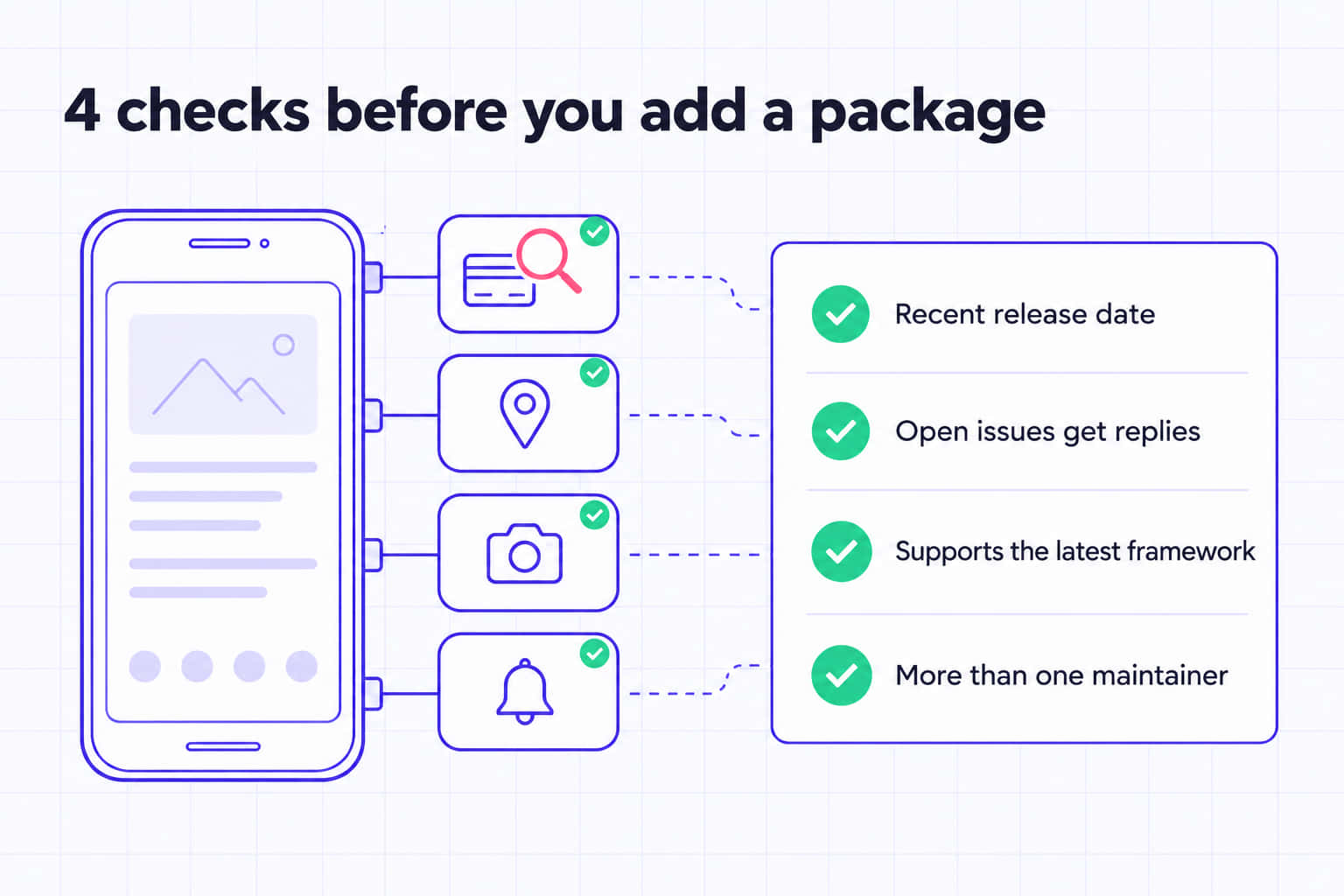
Before your developer adds any package, ask them to check:
- When it was last released
- How many issues are open, and whether anyone replies to them
- Whether it supports the latest framework version
- Whether more than one person maintains it
App Store and OS Deadlines
Both frameworks must keep up with Apple and Google. Since 28 April 2026, Apple only accepts uploads built with Xcode 26 and the iOS 26 SDK. From 31 August 2026, Google Play requires new apps and updates to target Android 16 (API level 36).
Cross-platform apps have an extra layer to update when these deadlines land. A native app only waits on Apple or Google. A Flutter or React Native app also waits on the framework and every package it uses.
There's one more date to watch. CocoaPods, a tool both frameworks have used for iOS packages, becomes read-only on 2 December 2026. Existing builds will keep working, but packages listed there will stop getting updates.
Hiring and Handover in Australia
React Native is easier to staff. In Stack Overflow's 2024 Developer Survey, 62% of developers used JavaScript and 6% used Dart. That larger group includes web developers who can move into React Native quickly.
Flutter's talent pool is smaller, but Flutter code tends to look similar from one team to the next. It ships with an official set of widgets and tools, so there are fewer competing ways to build a screen. That makes a handover between agencies easier to plan.
Whichever you choose, ask for documentation and a working build before any handover. Without them, the new team spends its first weeks working out how the app fits together.
Cost to Build vs Cost to Run
Build costs for Flutter and React Native are usually close, because both use one codebase for iOS and Android. Our app development cost guide covers build figures for Australian businesses.
Running costs are where the two drift apart. Three things drive ongoing cost in each framework:
Upgrades
React Native ships releases more often, so you do upgrade work more often. Flutter upgrades come less often, but each one still needs a test pass.
Native Modules
Bluetooth, payments and health data often need custom native code. Every custom module is more code to fix when Apple or Google change something.
Testing
Every upgrade needs a check on real iOS and Android devices. Automated tests cut that cost. Without them, each release takes longer.
A regular maintenance plan turns these costs into a steady monthly amount. You avoid the occasional big bill.
Should you switch frameworks?
Usually not. A rewrite wipes your app's testing and bug history. The new version often takes longer than planned. Most apps do better catching up on upgrades in their current framework.
A switch makes sense when several of these apply:
- The app is several major versions behind, and an upgrade would touch most of the code.
- Key packages have been abandoned and have no maintained replacement.
- You can't find or keep developers for the current framework.
- The app needs a major redesign anyway, so most screens would be rebuilt regardless.
Cross-platform isn't always the right answer either. For one healthcare client, my team built two native apps, one in Kotlin and one in SwiftUI. Both apps follow the same MVVM structure, so a developer who knows one can find their way around the other. The apps cut administrative handling time by an estimated 35% and appointment conflicts by over 50%. Session attendance also rose by more than 20%, helped by automated reminders.
If you're weighing a rewrite against an upgrade, our guide to legacy app modernisation walks through the full decision.
Frequently Asked Questions
Flutter often keeps smoother frame rates on animation-heavy screens, because it draws everything with its own engine. For most business apps, such as booking, ordering or account apps, users won't notice a difference. How the app is built and how many packages it loads matters far more than the framework.
No. Google released Flutter 3.44 with Dart 3.12 in May 2026, and it still ships a stable release about every quarter. Google also runs Flutter in its own apps, including Google Pay, Google Earth and NotebookLM. So where does the “Flutter is dying” talk come from? Mostly old forum threads, not the release history.
React Native suits anyone who already knows JavaScript or React, which covers most web developers. Flutter means learning Dart. But Dart feels familiar if you know Java, Kotlin, Swift or TypeScript. Flutter's official widgets also give beginners one clear way to build each screen.
Not automatically. No reliable tool converts one framework into the other, so a move means rewriting the app. Your designs, backend APIs and business rules can usually stay as they are. Treat it as a new build, with a full test cycle and a staged release to existing users.
Both have major users. Meta, Microsoft, Amazon and Shopify list React Native apps, including Facebook, Outlook and Shop. Flutter's showcase includes Google Pay, BMW, Toyota, Alibaba and eBay Motors. Big company use proves both frameworks can scale. It won't tell you which one suits your app.
Need Help Keeping Your App Up to Date?
Appmart maintains both Flutter and React Native apps for Australian businesses. Our Flutter and React Native developers handle framework upgrades, package checks and app store deadlines, so your releases keep moving. Start with a free app health check from our experts and see where your app stands today.
Book a free app health checkLearn more about our Flutter and React Native app maintenance service.